Daruna: A Flexible Template for Modern Company Profiles
When you need to present your business, the visual tools you use say as much about you as the words you choose. A cluttered, outdated PowerPoint can undermine a great idea, while a clean, professional deck builds immediate trust. This is the gap the Daruna – Company Profile PowerPoint template aims to fill. It’s not just a collection of slides; it’s a structured framework designed to help you tell your company's story with clarity and style.
Aesthetic and Practical Design
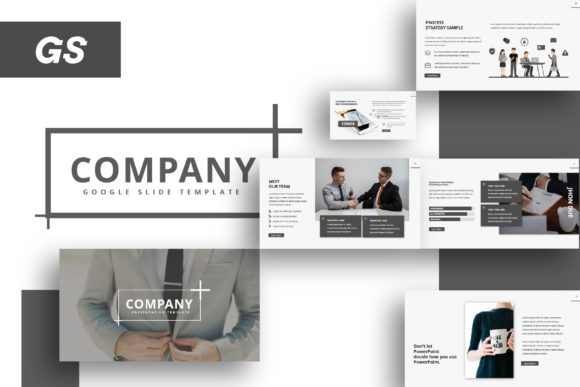
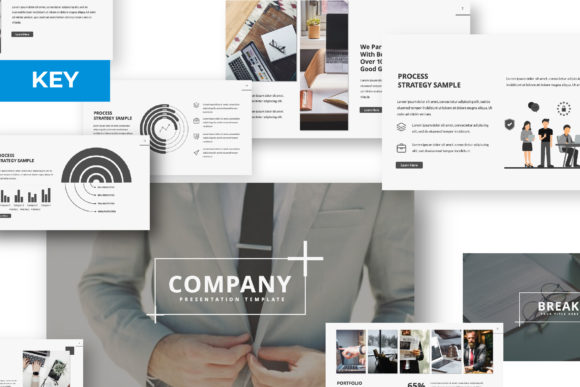
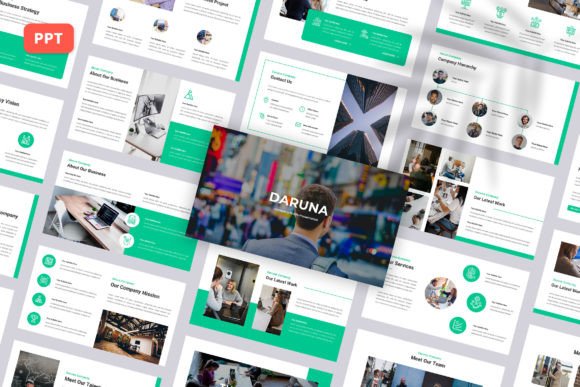
Daruna presents a modern, minimalist aesthetic. The design relies on clean lines, ample white space, and a balanced layout that directs the viewer's attention to your content. It avoids overly decorative elements that can date a presentation, favoring a timeless look that works across industries. The personality is professional yet approachable—confident without being cold. This makes it versatile for a creative agency pitching a bold new campaign or a startup explaining its business model to investors.
The template's structure is its greatest strength. With 30 slides, it provides a comprehensive roadmap for a company profile. You’ll find dedicated sections for team introductions, service breakdowns, portfolio showcases, and financial data. The 16:9 widescreen ratio is now standard for modern displays, ensuring your presentation looks crisp on any monitor or projector. The use of master slides is a critical feature for any designer. It means you can change a font or color scheme once, and the update cascades through the entire deck, saving hours of manual work and guaranteeing visual consistency—a cornerstone of strong brand identity.
Where This Template Shines
The utility of Daruna extends far beyond a standard corporate overview. Its modular design makes it a valuable design asset for various projects. Consider using it for:
- Pitch Decks and Investor Presentations: The clean layout provides a trustworthy canvas for financials and projections, allowing your data to be the hero.
- Creative Portfolio Reviews: Photographers, designers, and artists can leverage the picture placeholders to create stunning visual narratives. The display font choices in the template help frame your work without competing with it.
- Marketing and Brand Strategy Pitches: For agencies, presenting a new brand identity or campaign requires a deck that itself reflects high design standards. Daruna provides that professional foundation.
- Internal Company Onboarding: Use it to create engaging training materials or welcome presentations for new hires, reinforcing company culture through consistent design.
The drag-and-drop picture placeholder functionality is a practical game-changer. It removes the technical friction of aligning and sizing images, letting you focus on storytelling. This is especially useful for small business owners or content creators who may not have advanced PowerPoint skills but need a polished result.
Integrating Daruna into Your Workflow
Adopting a new template like Daruna is about more than just swapping out text. To get the most value, think of it as a starting point for your own visual hierarchy. The included fonts and color palette are suggestions. A key step is to customize these elements to align with your existing brand guidelines. If your brand uses a specific sans serif font for body text or a serif font for headings, apply those consistently. This creates a seamless extension of your brand identity across all materials.
When evaluating if Daruna is the right fit for your project, consider the tone you need to set. Its modern, clean lines are ideal for conveying innovation, efficiency, and clarity. If your brand personality is more rustic, whimsical, or vintage, you might need to do more extensive customization or consider a different starting point. Always test your final content on the actual device you'll be presenting from to check for readability and font rendering.
Remember, the images in the preview are placeholders. The success of your presentation will depend on the quality and relevance of the photography and graphics you insert. Use high-resolution images that reinforce your message. The template’s structure will help organize your content, but the substance must come from you.
Final Thoughts on Building Your Presentation
A tool like the Daruna – Company Profile PowerPoint template ultimately saves you time and reduces the cognitive load of starting from a blank slide. It provides a professionally designed skeleton that you can flesh out with your unique content. The included documentation file is worth reviewing; it often contains tips for editing and customization that can prevent common headaches.
In a world where attention is scarce, a well-designed presentation is a form of respect for your audience. It shows you’ve invested care in how you communicate. By using a structured, editable template, you ensure that your ideas are supported by a visual framework that enhances understanding and engagement, allowing you to focus on what you do best: running your business, creating your art, or pitching your next big idea.