Shoko Minimal Powerpoint: A Modern Template for Clean Presentations
In a world saturated with cluttered slides and overwhelming visuals, the need for clarity is paramount. When you are preparing a pitch deck, a corporate report, or a creative portfolio, the design of your presentation speaks volumes before you even say a word. This is where Shoko Minimal Powerpoint enters the conversation. It is not just another set of slides; it is a carefully curated environment designed to let your content breathe while maintaining a high-end, professional aesthetic.
The Philosophy Behind the Ultra-Modern Design
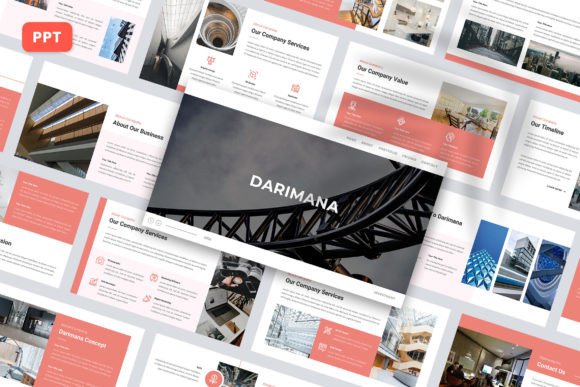
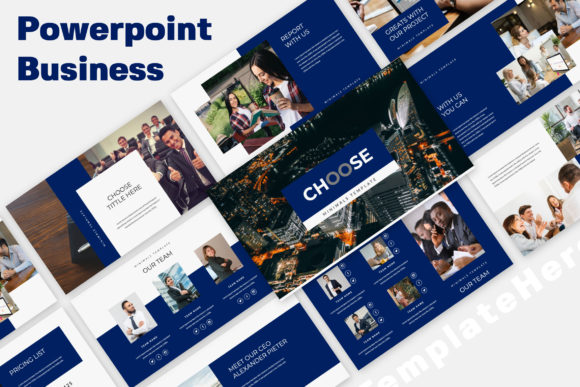
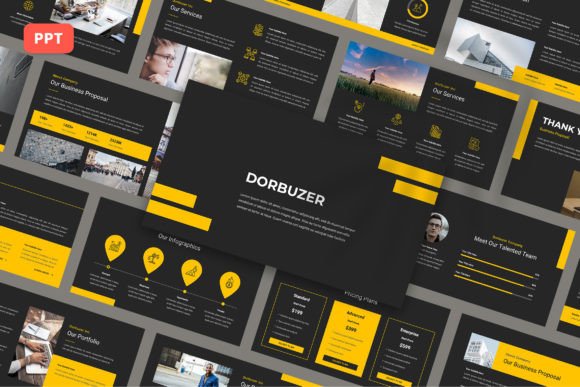
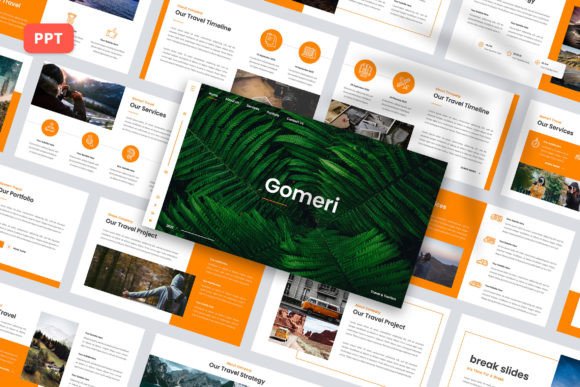
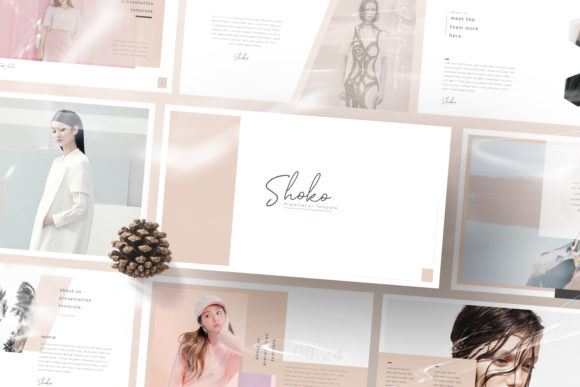
Every slide in the Shoko Minimal Powerpoint template feels like it was crafted with a specific intention. The design philosophy here leans heavily on "less is more," but it does so without sacrificing impact. You will notice a distinct lack of unnecessary ornamentation. Instead, the template relies on strong typography, ample white space, and strategic alignment to create visual hierarchy. This approach ensures that your audience focuses on what truly matters: your message.
The visual personality of Shoko is sleek, sophisticated, and undeniably contemporary. It avoids the dated clip-art look of older templates, opting instead for a clean, grid-based layout system. Whether you are a designer showcasing a new project or a startup founder pitching to investors, this template provides a canvas that feels current and authoritative. The consistency across the slides creates a seamless flow, making your presentation feel cohesive rather than a disjointed collection of pages.
Practicality Meets Aesthetics: Key Features
While visual appeal is crucial, functionality is the backbone of any good presentation template. Shoko Minimal Powerpoint excels in this area by offering a range of features that streamline the design process. One of the standout elements is the 16:9 aspect ratio, which is the standard for modern screens and projectors, ensuring your content looks crisp and fills the display without black bars.
For those who need to create a presentation quickly, the Image Placeholder feature is a game-changer. Instead of manually resizing and cropping images to fit specific shapes, you can simply drag and drop your visuals into the designated areas. This "Made with Slidemaster" functionality allows for rapid customization. You can easily change the color palette to match your brand identity, ensuring consistency across all your marketing materials.
The template includes Business Guidelines Pages, which are particularly useful for corporate presentations or brand strategy decks. These slides provide a structured way to present rules, mission statements, or operational workflows. Additionally, the Unique Portfolio Slides are designed to highlight your best work, using layout variations that draw the eye to the imagery while keeping supporting text legible and organized.
Where Shoko Minimal Powerpoint Shines
The versatility of this template makes it suitable for a wide array of applications. Because it is a Multipurpose Creative Template, it adapts well to different contexts. Here are a few scenarios where Shoko truly excels:
- Corporate & Business: Use it for quarterly reports, investor decks, or internal strategy meetings. The clean lines convey professionalism and data-driven focus.
- Portfolio & Branding: Creatives such as photographers, architects, and graphic designers can use the minimalist layout to let their work take center stage without visual competition.
- Marketing & Advertising: When presenting a new campaign, the modern typography and layout help in breaking down complex ideas into digestible visual segments.
- Education & Workshops: The clear hierarchy makes it easy for educators to structure lessons, ensuring students can follow along without getting lost in text-heavy slides.
Tips for Customization and Usage
To get the most out of Shoko Minimal Powerpoint, focus on maintaining the integrity of the design. Resist the urge to overcrowd the slides. If a slide is designed for a single image and a headline, trust that layout. Overloading a minimalist template with too much text defeats its purpose.
When working with the Easy to Customize features, pay attention to the font pairings suggested or included. The typography is a critical component of the template's modern feel. If you decide to swap fonts, ensure your chosen typeface complements the sans-serif or serif styles already present to maintain readability. The Full HD resolution means you can include high-quality images without worrying about pixelation, so take advantage of this by using professional photography.
Finally, remember that while the preview images give you a sense of the aesthetic, your own content will define the final look. Use the color change feature to align the palette with your specific brand guidelines. This small step transforms a generic template into a personalized tool that reinforces your brand identity.
Conclusion
Shoko Minimal Powerpoint is more than just a collection of slides; it is a strategic design asset for anyone who values clarity and professionalism. By combining an ultra-modern aesthetic with practical features like drag-and-drop placeholders and customizable layouts, it empowers users to create presentations that are both beautiful and effective. Whether you are closing a deal or presenting a creative vision, this template provides the solid foundation you need to communicate with confidence.